01
Detect common private details
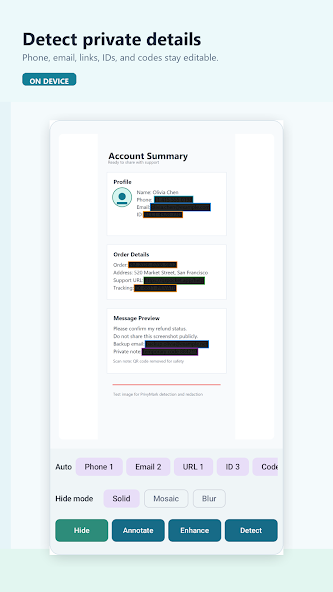
Find faces, phone numbers, email addresses, links, and ID-like text directly on your device.
Privacy-first image sharing
PrivyMark helps you spot sensitive information in screenshots and photos, review every suggestion, and export a safer copy before you hit send.
Pick a screenshot
Review suggestions
Hide what matters
Share a safer copy
A smarter final check
From automatic suggestions to precise manual control, PrivyMark keeps the workflow fast and easy to review.
Find faces, phone numbers, email addresses, links, and ID-like text directly on your device.
Choose solid, mosaic, or blur. Add custom blocks whenever you want more control.
Use simple annotations to point out what matters without switching to another app.
Save a new, safer copy for sharing while your original image remains unchanged.
Three simple steps
PrivyMark turns a careful privacy check into a straightforward, repeatable flow.
Pick a screenshot or photo from your device or Android share sheet.
Check detected details, add manual blocks, and select how each area is hidden.
Save or share the new version while keeping your original intact.
See it in action
From your first selection to edit history, every screen keeps the next action obvious.
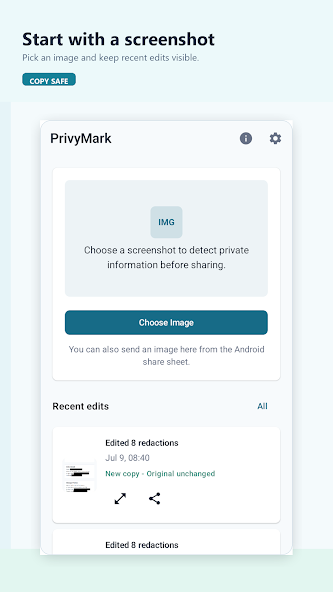 Start quicklyChoose an image or open one from the share sheet.
02
Review detailsConfirm suggestions and choose your hiding style.
03
Start quicklyChoose an image or open one from the share sheet.
02
Review detailsConfirm suggestions and choose your hiding style.
03
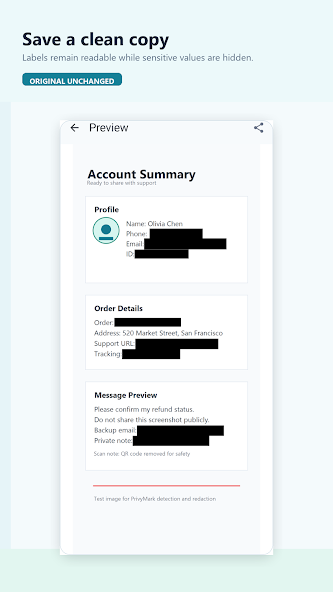 Preview safelyCheck the result before saving or sharing.
04
Preview safelyCheck the result before saving or sharing.
04
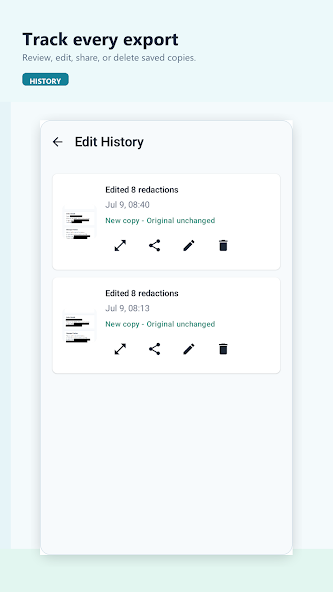 Stay organizedReview, edit, share, or delete saved copies.
Tap any screenshot for a closer look.
Privacy by design
PrivyMark puts the review in your hands. Detection runs on your device, suggestions stay editable, and exporting creates a separate copy.
Good to know
A few quick details about how PrivyMark fits into your sharing workflow.
PrivyMark can suggest common privacy details including faces, phone numbers, email addresses, links, and text that looks like an ID.
No. You review the suggestions and stay in control of what is hidden. You can also add your own custom masking blocks.
You can choose solid, mosaic, or blur styles to match the image and the type of information you want to conceal.
Yes. Simple annotation tools help you point out important areas before you save the result.
No. PrivyMark exports a new copy, so your original image remains unchanged.
Share with confidence
Make PrivyMark part of your routine before sending screenshots and photos.
GET IT ONGoogle Play